
A home working risk assessment helps identify risks associated with home working, such as display screen equipment use, fire safety, and mental wellbeing. It enables employers to assess whether employees have a safe and suitable working environment and whether additional control measures or support are required to comply with the law.
At a glance: home working risk assessments
| Topic | Summary |
|---|---|
| Is it a legal requirement? | Yes. Employers must assess risks under the Health and Safety at Work etc. Act 1974 and the Management of Health and Safety at Work Regulations 1999. |
| Main risks | Poor workstation setup, DSE-related discomfort, electrical safety, fire safety, isolation, and stress. |
| Who completes it? | Often the employee through self-assessment, reviewed by a manager or competent person. |
| How often should it be reviewed? | Usually annually or when the working environment changes. |
Is a working from home risk assessment a legal requirement?
Under the Health and Safety at Work etc. Act 1974 (HSWA), Section 2, employers must ensure, so far as is reasonably practicable, the health, safety, and welfare of employees while at work. This duty applies to all employees, including those working from home.
The HSWA, Section 2 specifically requires employers to provide:
- Safe systems of work
- Safe equipment and working environments
- Information, instruction, training, and supervision
- Safe arrangements for the use and handling of equipment and substances
The Management of Health and Safety at Work Regulations 1999 place specific duties on employers to assess workplace risks. Regulation 3 requires employers to carry out ‘suitable and sufficient’ risk assessments to protect employees’ health and safety, which includes when working from home.
In addition, the Health and Safety (Display Screen Equipment) Regulations 1992 apply to ‘DSE users’ who use display screen equipment daily for continuous periods of an hour or more. The Health and Safety Executive (HSE) confirms that the regulations apply to home workers and hybrid workers where they meet the definition of a DSE user.
What are the hazards of working from home?
Some working from home hazards are physical, while others relate to mental wellbeing.
Musculoskeletal disorders
Poor workstation ergonomics contribute to musculoskeletal disorders, including back pain, neck strain, shoulder discomfort, and repetitive strain injuries. According to HSE statistics on work-related ill health and injuries, 511,000 workers suffered from a work-related musculoskeletal disorder in Great Britain during 2024/25, making musculoskeletal disorders one of the most common causes of work-related ill health.
A home workstation should be suitable for the tasks being carried out and support comfortable, safe working practices. Risk assessments should consider factors such as desk height, chair support, screen positioning, keyboard and mouse setup, and posture.
Eye strain and headaches
According to HSE guidance, long periods of DSE work can lead to tired eyes, discomfort, temporary short-sightedness and headaches.
The HSE’s operational guidance on the DSE Regulations also identifies visual fatigue and stress as among the main health risks associated with display screen equipment work.
To help reduce these risks, the DSE Regulations require employers to plan work activities so users can take periodic breaks or changes of activity away from screen work.
Slips, trips and falls
According to HSE slips and trips statistics and guidance, slips and trips are the most common cause of non-fatal workplace injuries in Great Britain. Home working environments may contain trip hazards that would not normally be present in controlled workplace settings. Trailing cables, cluttered walkways, unsuitable workstation layouts, and poorly stored equipment can increase the risk of slips and trips.
Home working risk assessments may therefore consider cable management, housekeeping, available workspace, flooring condition and access routes around work areas.
Electrical safety
Home working risk assessments should consider whether electrical equipment is being used safely. This includes checking for damaged plugs or cables, overloaded extension leads, unsafe charging arrangements, and trailing wires that could create trip hazards.
The HSE identifies overloaded sockets, damaged cables, and unsuitable charging arrangements as potential fire risks linked to electrical equipment.
The Electricity at Work Regulations 1989, Regulation 4 require electrical systems and equipment to be maintained so they do not present danger. Employers should ensure employees know how to identify and report obvious faults with work equipment used at home and consider providing Electrical Safety Training.
Fire risks
Home working risk assessments may also consider fire risks associated with work activities and work equipment used in the home, particularly electrical equipment such as laptops, monitors, chargers, and extension leads. This forms part of the employer’s wider duty to assess risks under the Management of Health and Safety at Work Regulations 1999, Regulation 3.
Although employees are working from home, fire safety remains an important consideration. Risk assessments may include checking whether smoke alarms are present and functioning, whether escape routes are accessible, and whether electrical equipment is being used safely.
Stress and isolation
The HSE states that home workers may feel “isolated or disconnected” due to reduced social contact, while ACAS notes that working from home can make it harder for some employees to switch off from work or maintain work-life boundaries.
Under the Health and Safety at Work etc. Act 1974, employers have a duty to protect the physical and mental health so far as is reasonably practicable. The HSE recognises work-related stress as a workplace health and safety issue and states that employers have a legal duty to assess the risk of stress-related ill health arising from work activities.
A risk assessment for home working should therefore consider workload, communication arrangements, wellbeing support, and whether employees feel connected and supported while working remotely.
Lone working
Remote workers may work alone for significant periods of time. The HSE defines lone workers as those who work by themselves without close or direct supervision.
The HSE states that employers must:
- train, supervise and monitor lone workers
- keep in touch with them and respond to any incident
The HSE also advises employers to have procedures for monitoring and keeping in touch with lone workers, including knowing where workers are, maintaining regular contact intervals, and ensuring emergency procedures are in place.
For remote workers, this may include regular check-ins, clear reporting arrangements, and agreed communication procedures where support or assistance may be needed.
Environmental conditions
Although the Workplace (Health, Safety and Welfare) Regulations 1992 were written primarily for traditional workplaces, they provide useful principles for assessing suitable working environments, including ventilation, temperature, lighting, cleanliness and waste materials and room dimensions and workspace.
Employers are not expected to control domestic environments in the same way as a traditional workplace. However, home working risk assessments may still identify simple measures to support safer and more comfortable working conditions, such as improving lighting, managing cables safely, reducing clutter, or ensuring adequate workspace for display screen equipment use.
What should a home working risk assessment include?
A home working risk assessment should cover the key risks associated with remote work.
Workstation and DSE setup
- Suitable desk and chair arrangements – Employees should have a workstation that supports comfortable and practical working throughout the day. Chairs and desks should help support good posture and reduce unnecessary strain on the back, neck, and shoulders.
- Screen positioning – Screens should be positioned at a suitable height and distance to help reduce neck strain, awkward posture, and visual fatigue during prolonged screen work.
- Keyboard and mouse setup – Keyboards and mice should be arranged for comfortable use and help minimise awkward wrist, hand, or arm positioning.
- Posture and comfort – Employees should be able to work in a comfortable position without excessive twisting, stretching, or prolonged awkward posture.
- Adequate workspace – Work areas should provide enough space for equipment, documents, and safe movement around the workstation.
- Breaks and movement away from screen work – Employees should be encouraged to take regular breaks or changes of activity to help reduce fatigue associated with prolonged sitting and DSE use.
Slips, trips and falls
- Housekeeping and clutter – Work areas should be kept tidy and free from unnecessary clutter that could create slip or trip hazards.
- Cable management – Trailing cables and wires should be positioned safely to reduce the risk of trips, damage, or accidental disconnection.
- Walkways and access routes – Floors, walkways, and stairs should be kept clear and unobstructed to enable safe movement around the home working area.
- Flooring condition – Flooring should be stable and in good condition without loose rugs, damaged flooring, or uneven surfaces that may increase the risk of slips or trips.
- Lighting in work and access areas – Lighting should be sufficient so employees can move around safely and identify potential hazards.
- Safe equipment storage – Work equipment and materials should be stored safely when not in use to avoid creating obstacles or trip risks.
Electrical safety
- Condition of plugs and cables – Electrical equipment should be checked for visible signs of damage such as frayed cables, cracked plugs, loose connections, or signs of overheating.
- Safe use of extension leads – Extension leads and adaptors should be used safely and not overloaded with multiple high-powered devices.
- Electrical equipment checks – Employees should know how to carry out basic visual checks and report faults or concerns relating to work equipment used at home.
- Cable management and trailing wires – Cables should be positioned safely to reduce the risk of trips, damage, or accidental disconnection.
Fire safety
- Smoke alarm availability – Employees should be encouraged to ensure smoke alarms are present and functioning within the home.
- Accessible escape routes – Work areas should not obstruct exits, walkways, or access routes that may be needed in an emergency.
- Safe charging arrangements for electrical devices – Laptops, phones, and other devices should be charged safely in accordance with manufacturer guidance and not covered or left in unsafe locations while charging.
- Avoiding overloaded sockets – Employees should avoid overloading sockets or extension leads with multiple electrical devices or chargers.
Wellbeing and mental health
- Workload and communication – Employees should have manageable workloads and regular communication with managers and colleagues while working remotely.
- Isolation concerns – Home workers should feel connected and supported despite reduced face-to-face interaction with colleagues.
- Stress or fatigue – Employers should consider whether working arrangements, workload, or prolonged screen work may contribute to stress or fatigue.
- Ability to separate work and home life – Employees should be encouraged to maintain clear working routines and boundaries where possible.
- Access to wellbeing support – Employees should understand what wellbeing support is available and how to access it if needed.
Lone working arrangements
- Regular communication arrangements – Suitable arrangements should be in place for maintaining regular contact with employees working remotely.
- Supervision and monitoring arrangements – Employers should consider how employees are supervised and how concerns can be identified or escalated where employees work alone.
- Emergency contact procedures – Employees should know how to request assistance or raise concerns if support is needed during working hours.
- Reporting concerns or incidents – Clear reporting procedures should be in place for hazards, incidents, equipment faults, or wellbeing concerns.
Environment
- Lighting – Lighting levels should be suitable for screen work and help reduce glare, reflections, and visual discomfort.
- Ventilation – Employees should have access to adequate ventilation and fresh air where possible.
- Temperature and comfort – The home working environment should be reasonably comfortable for prolonged work activities.
- Noise levels – Excessive background noise or distractions may affect concentration, communication, and wellbeing.
- Housekeeping and trip hazards – Work areas should be kept tidy and free from unnecessary clutter or obstacles that could create trip risks.
- Flooring condition and access routes – Flooring and walkways should be safe, stable, and free from hazards that may increase the risk of slips, trips, or falls.
How often should home working risk assessments be reviewed?
There is no fixed legal timeframe for reviewing home working risk assessments. However, under the Management of Health and Safety at Work Regulations 1999, Regulation 3, employers must ensure risk assessments remain “suitable and sufficient” and are updated where no longer valid or where significant changes occur.
Home working risk assessments should therefore be reviewed whenever there are significant changes to working arrangements or employee needs. This may include:
- Changes to equipment or workstation setup – for example, where employees begin using different equipment, relocate their workstation, or report problems with existing equipment.
- Relocation to a different home environment – a change of address or working space may introduce different environmental or workspace risks.
- Reports of discomfort or injury – assessments should be reviewed if employees report pain, discomfort, fatigue, stress, or work-related health concerns.
- Changes to workload or wellbeing – employers should review arrangements where workload pressures, stress, communication issues, or wellbeing concerns arise.
- Changes in working patterns – this may include increased home working, hybrid working arrangements, lone working, or changes to working hours.
Many organisations review home working risk assessments annually as part of wider health and safety management processes, although more frequent reviews may be appropriate where circumstances change.
Download your free home working risk assessment template
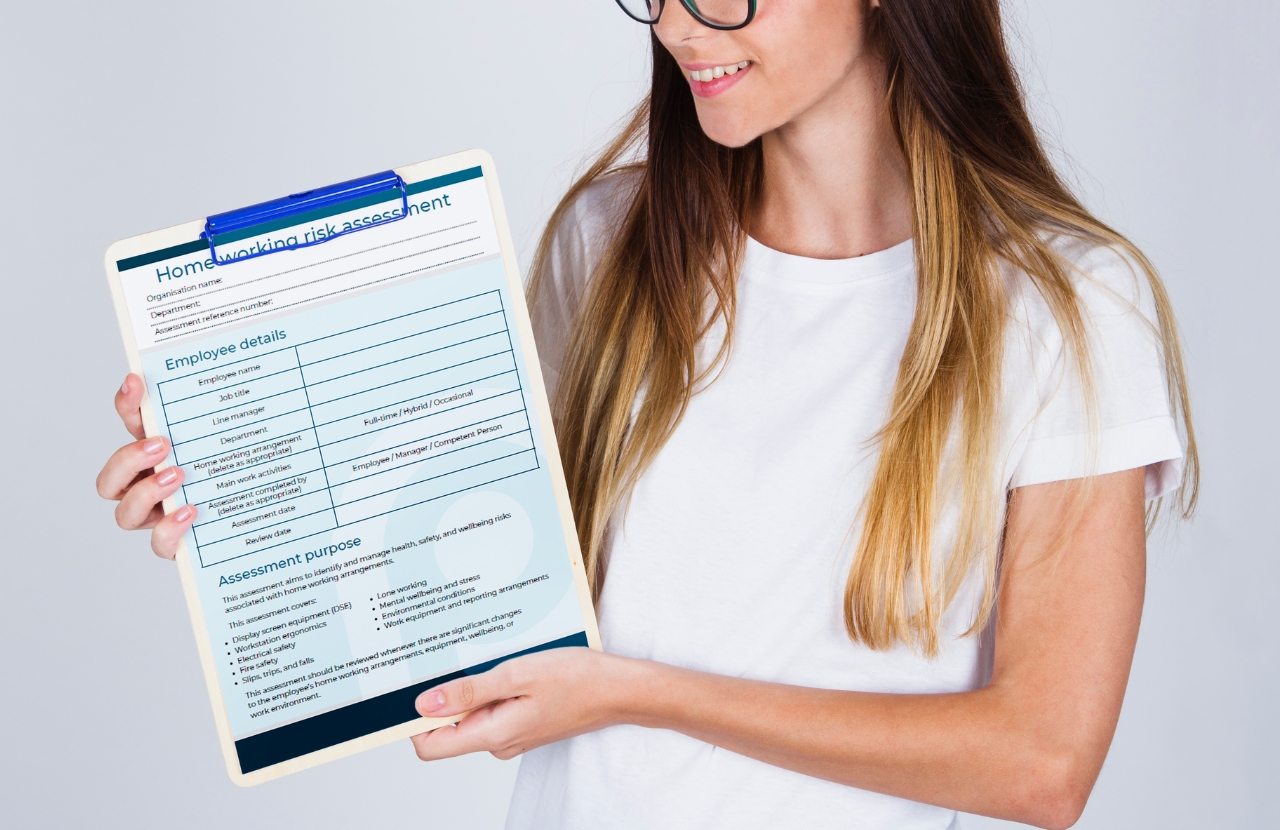
This home working risk assessment template provides a basic framework covering common home working risks. However, it is important to adapt it to reflect your organisation, employees, work activities, and specific job roles.
Support safer home working with Praxis42
We support remote and hybrid workers with practical training, workstation assessments, and ergonomic services that promote health and wellbeing while helping employers meet their legal responsibilities.
Our services include:
- Homeworker Awareness training which provides homeworkers with practical tips on managing risks such as ergonomics, manual handling, mental wellbeing and more.
- Display Screen Equipment (DSE) training to support safe workstation setup and reduce the risk of DSE-related injuries
- An online DSE assessment tool that enables employees to self-evaluate their workstation to identify potential risks
- Virtual ergonomic assessments delivered by qualified assessors to provide tailored workstation advice and support for remote workers with specific individual needs or ergonomic set-ups.
Whether employees work fully remotely, in hybrid roles, or occasionally from home, our health and safety consultants work with you to create safer and more effective home working arrangements.
To find out more, talk to our friendly team today on 0203 011 4242 / [email protected]

Adam Clarke
Managing Director (Consulting)