Online DSE Assessment Tool
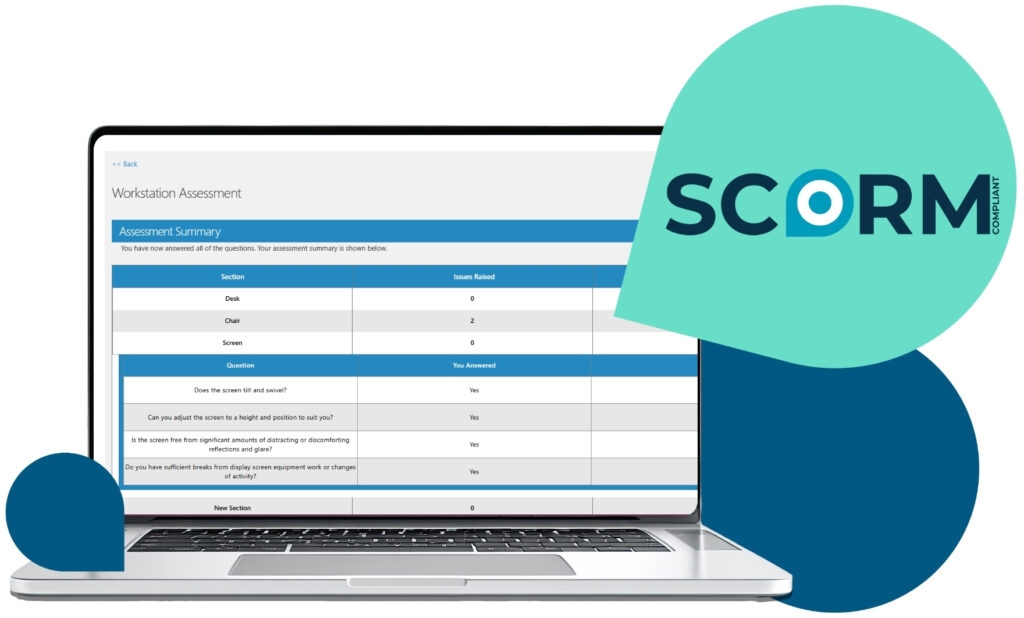
Our online DSE assessment tool is an easy way for employees to self-evaluate their workstation. Unlike other DSE assessment tools, it can be deployed within your existing learning management system (LMS), keeping your DSE assessments and training records in one place.
According to the Health and Safety Executive, people using display screen equipment frequently report headaches, eye discomfort, neck pain and back and shoulder pain. That’s why employers are legally required to ensure DSE assessments are carried out under the Health and Safety (Display Screen Equipment) Regulations 1992.

Book a demo
Complete the form below to arrange
a software demo with our team.

How our DSE assessment manages risks
Our DSE assessment tool helps you manage DSE risks consistently and efficiently, whether employees are office-based, remote, or hybrid.
- Enable employees to complete DSE assessments independently in a user-friendly system
- Support managers to identify issues early and take appropriate action
- Maintain clear oversight of DSE risks across teams and locations
- Keep accurate records to support ongoing DSE compliance
- Manage assessments alongside training within your LMS or our platform

What our DSE assessment covers
The assessment covers all key DSE risk factors relating to workstation setup and the working environment.
- Display screens and screen setup
- Keyboard, mouse, and other input devices
- Software and task-related factors
- Desk, chair, and workstation furniture
- Working environment (lighting, temperature, space, noise)
- Individual needs and circumstances, including home and hybrid working
Additional risk assessments can also be used to support the DSE assessment, including those relating to pregnancy, disabilities, and specific working arrangements.

Features of our DSE assessment tool
Our DSE assessment tool reduces time spent on administration, while improving visibility and control.
- Deploy on our learning management system or your own LMS to conveniently manage DSE assessments and DSE training together — not as separate systems.
- Tailor question sets to suit your organisation, roles, and working environments
- Save progress and allow assessments to be completed over multiple sessions
- Group assessments by team, department, or location
- Link assessments to line managers for clear accountability
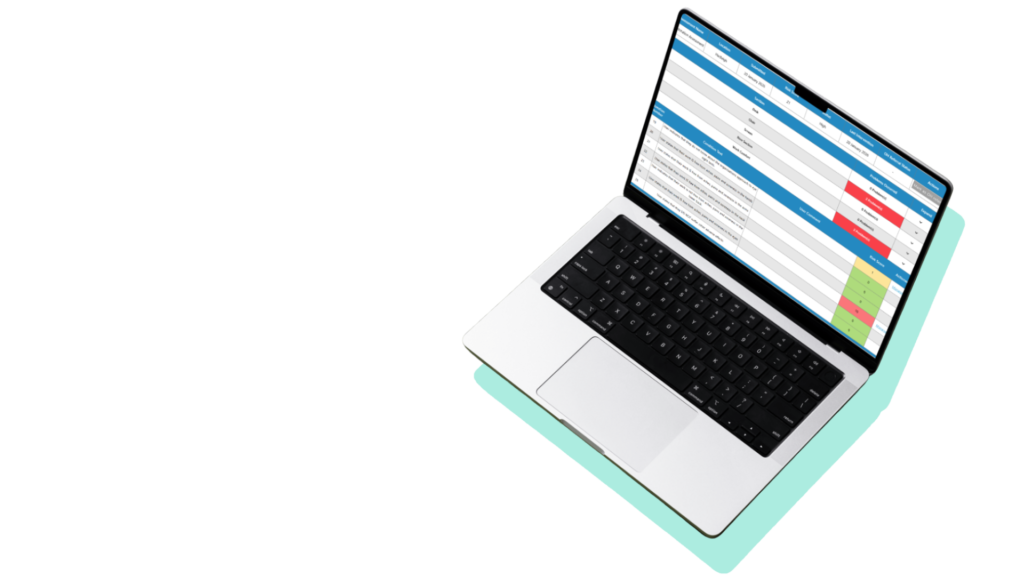
- View issues, trends, and required actions in structured reports
- Maintain a clear audit trail of assessments and follow-up actions
DSE assessments and training in one system
Our SCORM-compliant DSE assessment tool can be deployed directly within your existing learning management system (LMS), so your DSE assessments and DSE training can be delivered, managed, and tracked in one place.
Why this matters:
- One consistent user experience: Employees complete DSE risk assessments and DSE training in a familiar system, reducing friction and improving completion rates.
- Joined-up compliance records: Assessment completion, training records, and follow-up actions sit together, supporting clearer oversight and audit readiness.
- Simpler administration: No need to manage separate platforms, user accounts, or data exports — everything is managed through your LMS.
- Clearer reporting and accountability: Managers can view assessment outcomes alongside training status, making it easier to identify issues and take appropriate action.
- Scalable across the organisation: Manage DSE consistently across teams, locations, and roles as the organisation grows or working arrangements change.
- Better support for ongoing DSE management: Assessments and training can be revisited and updated over time, rather than treated as one-off activities.
Why choose our online DSE assessment tool over free alternatives?
A free DSE assessment tool is intended for individual, one-off assessments, with generic questions and a single report, making it unsuitable for managing DSE risks across teams.
Key benefits of our DSE assessment tool:
- Tailored to your organisation: Amend the question set to reflect your working environment, equipment, roles, and internal policies, ensuring assessments are relevant and appropriate.
- Integrated into your existing systems: Deploy the tool within your learning management system (LMS), with assessments managed alongside your wider health and safety activity.
- Built for compliance: Maintain a clear audit trail of completed assessments and follow-up actions, helping demonstrate that reasonable steps have been taken to manage DSE risks.
- Easy for employees to complete: Designed to be user-friendly, allowing employees to complete their DSE workstation assessment independently and supporting higher completion rates.
- Saved progress and ongoing access: Assessments can be completed over multiple sessions, with progress saved automatically. Employees can revisit and update their assessment as their role or workstation changes.
- Accessible anywhere, anytime: Employees and managers can access assessments and reports from any location, supporting office-based, remote, and hybrid working arrangements.
- Clear management oversight: Categorise assessments by team, department, or location and link them to line managers, making it easy to monitor completion, identify issues, and act.
- Action–focused reporting: See issues, trends, and follow-up actions across the organisation in one view, instead of managing separate, one-off reports.
- Supports additional risk assessments: Online DSE assessments can be supported by additional risk assessments, including those relating to pregnancy, disabilities, and remote or hybrid working.
Who should complete a DSE assessment online?
All employees who use display screen equipment for work should undertake a DSE assessment whether they are in an office, working from home, or agile working.
Assessments should also be carried out:
- As part of an induction or onboarding process when a new employee joins or changes roles.
- When an employee complains of discomfort or pain or alerts you to potential health issues.
- As part of an office move, working from home or at a customer premises on a project.
- When new equipment or work processes are implemented.
- When new workstations are set up or changes are made to existing workstations.
If an employee requires further support following an online DSE workstation assessment, for example if they are experiencing discomfort, have an existing injury or a disability, they may benefit from a virtual ergonomic assessment with one of our highly qualified DSE consultants.

Book a demo
Duration: 30 – 45 minutes
Format: Live online demonstration
During the demo, we’ll take the time to understand your organisation, working arrangements, and compliance priorities. We’ll then show you how our DSE assessment tool works in practice and how it can be deployed within your existing systems.
What we’ll cover:
- The DSE assessment tool
See how employees complete assessments, how issues are identified, and how actions and records are managed over time. - Managing DSE within your LMS
Understand how DSE assessments and DSE training can be delivered and managed together within your own learning management system or ours. - Oversight, reporting, and compliance
Explore manager visibility, reporting views, and audit trails that support compliance with the Display Screen Equipment Regulations. - Configuration and rollout
Learn how the assessment can be tailored to your organisation, roles, and working environments, and how it can be rolled out across teams. - Next steps
Discuss implementation options, support, and what a typical onboarding process looks like.